Eyad
N.
Daher
eyaddaher.com

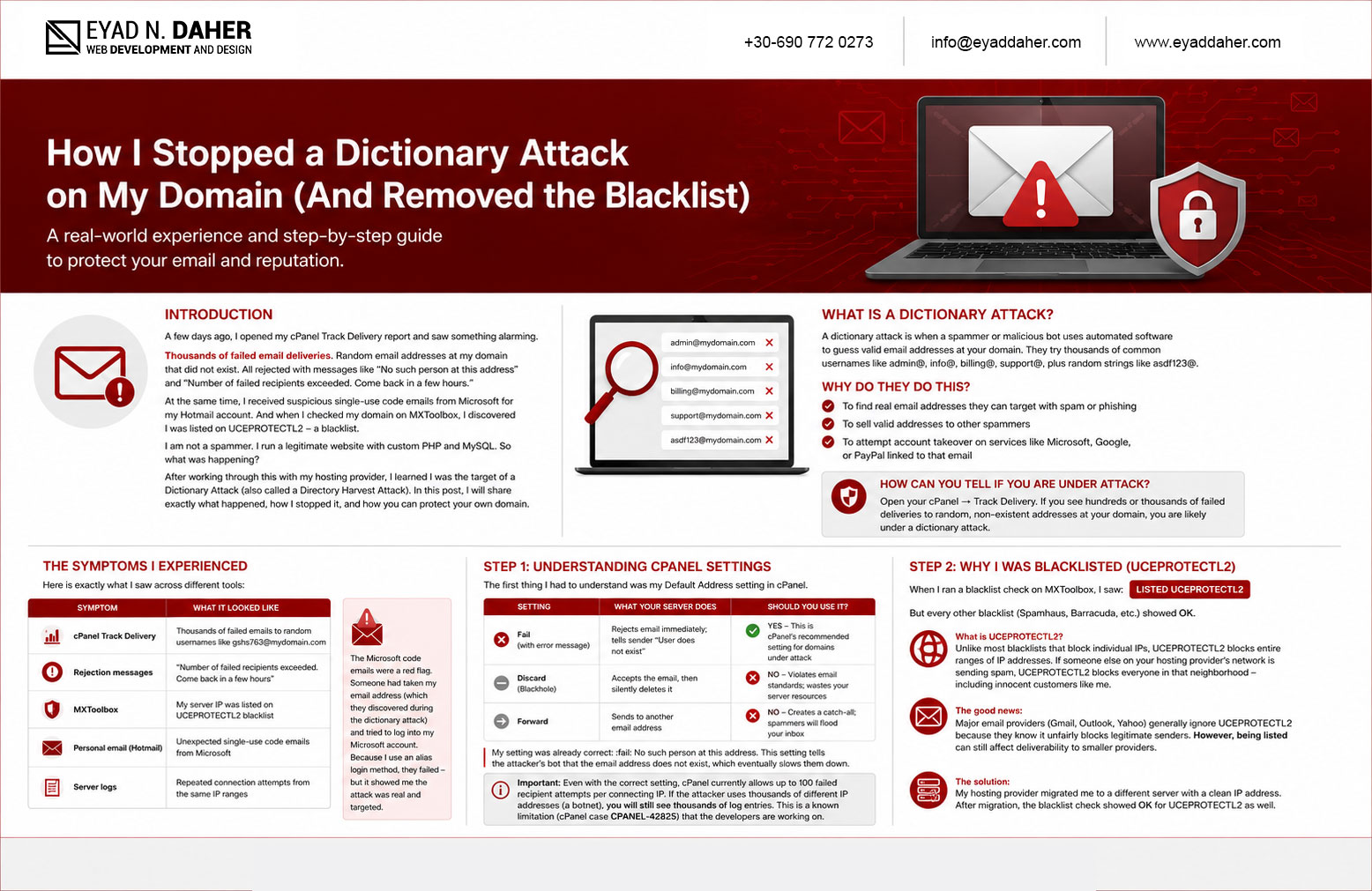
A few days ago, I opened my cPanel Track Delivery report and saw something alarming. Thousands of failed email deliveries. Random email addresses at my domain that did not exist. All rejected with messages like "No such person at this address" and "Number of failed recipients exceeded. Come back in a few hours."
At the same time, I received suspicious single-use code emails from Microsoft for my Hotmail account. And when I checked my domain on MXToolbox, I discovered I was listed on UCEPROTECTL2 – a blacklist. I am not a spammer. I run a legitimate website with custom PHP and MySQL. So what was happening?
After working through this with my hosting provider, I learned I was the target of a Dictionary Attack (also called a Directory Harvest Attack). In this post, I will share exactly what happened, how I stopped it, and how you can protect your own domain.
What Is a Dictionary Attack?
A dictionary attack is when a spammer or malicious bot uses automated software to guess valid email addresses at your domain. They try thousands of common usernames like admin@, info@, billing@, support@, plus random strings like asdf123@.
Why do they do this?
- To find real email addresses they can target with spam or phishing
- To sell valid addresses to other spammers
- To attempt account takeover on services like Microsoft, Google, or PayPal linked to that email
How can you tell if you are under attack? Open your cPanel → Track Delivery. If you see hundreds or thousands of failed deliveries to random, non-existent addresses at your domain, you are likely under a dictionary attack.
The Symptoms I Experienced
Here is exactly what I saw across different tools:
| Symptom | What It Looked Like |
|---|---|
| cPanel Track Delivery | Thousands of failed emails to random usernames like gshs763@mydomain.com |
| Rejection messages | "Number of failed recipients exceeded. Come back in a few hours" |
| MXToolbox | My server IP was listed on UCEPROTECTL2 blacklist |
| Personal email (Hotmail) | Unexpected single-use code emails from Microsoft |
| Server logs | Repeated connection attempts from the same IP ranges |
The Microsoft code emails were a red flag. Someone had taken my email address (which they discovered during the dictionary attack) and tried to log into my Microsoft account. Because I use an alias login method, they failed – but it showed me the attack was real and targeted.
If you receive unexpected single-use code emails from Microsoft, Google, or any other service that you did not request, someone is actively trying to access your account. Do not share the code with anyone.
Step 1: Understanding Your cPanel Default Address Setting
The first thing I had to understand was my Default Address setting in cPanel. It controls what happens to email sent to a non-existent address at your domain (e.g., random@mydomain.com).
The three options and what they do:
| Setting | What Your Server Does | Should You Use It? |
|---|---|---|
| Fail (with error message) | Rejects email immediately; tells sender "User does not exist" | ✅ YES – This is cPanel's recommended setting for domains under attack |
| Discard (Blackhole) | Accepts the email, then silently deletes it | ❌ NO – Violates email standards; wastes your server resources |
| Forward | Sends to another email address | ❌ NO – Creates a catch-all; spammers will flood your inbox |
My setting was already correct: :fail: No such person at this address. This setting tells the attacker's bot that the email address does not exist, which eventually slows them down.
Important: Even with the correct setting, cPanel currently allows up to 100 failed recipient attempts per connecting IP. If the attacker uses thousands of different IP addresses (a botnet), you will still see thousands of log entries. This is a known limitation (cPanel case CPANEL-42825) that the developers are working on.
Step 2: Why I Was Blacklisted (UCEPROTECTL2)
When I ran a blacklist check on MXToolbox, I saw LISTED UCEPROTECTL2. But every other blacklist (Spamhaus, Barracuda, etc.) showed OK.
What is UCEPROTECTL2? Unlike most blacklists that block individual IPs, UCEPROTECTL2 blocks entire ranges of IP addresses. If someone else on your hosting provider's network is sending spam, UCEPROTECTL2 blocks everyone in that neighborhood – including innocent customers like me.
The good news: Major email providers (Gmail, Outlook, Yahoo) generally ignore UCEPROTECTL2 because they know it unfairly blocks legitimate senders. However, being listed can still affect deliverability to smaller providers.
The solution: My hosting provider migrated me to a different server with a clean IP address. After migration, the blacklist check showed OK for UCEPROTECTL2 as well.
Step 3: The Migration Process – Moving to a Clean Server
My hosting provider offered to migrate my account to a clean server. Here is what that involved:
- Backup: The provider took a full backup of my files, databases, and email accounts
- Transfer: Everything was moved to a new server with a different IP address
- Testing: I added the new server IP to my local hosts file to test before DNS changes
- Nameserver update: I updated my domain registrar to use the provider's new nameservers
- Propagation: Waited 10-12 hours for DNS to propagate globally
- Verification: DKIM, SPF, and DMARC all showed Valid in cPanel Email Deliverability
One important warning from my provider: The new server had a newer version of MariaDB (10.11 vs 10.6 on the old server). For most custom PHP applications, this is low-risk, but it is worth testing your site after migration.
Step 4: Configuring DKIM, SPF, and DMARC Correctly
After migration, I checked cPanel → Email Deliverability. Everything showed Valid – but only because I was using my hosting provider's nameservers.
If you use external DNS (Cloudflare, your registrar's DNS, etc.), you need to add these records manually:
| Record | Type | Host/Name | Value (Example) |
|---|---|---|---|
| SPF | TXT | @ or mydomain.com | v=spf1 +a +mx +ip4:YOUR_SERVER_IP include:relay.mailprovider.com ~all |
| DKIM | TXT | default._domainkey | v=DKIM1; k=rsa; p=MIGfMA0GCSqGSIb3... (long string from cPanel) |
| DMARC | TXT | _dmarc | v=DMARC1; p=quarantine; rua=mailto:dmarc@mydomain.com |
Pro tip: If you use your hosting provider's nameservers, cPanel will automatically manage these records for you. This is the easiest path for non-technical users.
Step 5: Protecting Your Personal Email Accounts
During the attack, I received unexpected single-use code emails from Microsoft. This was someone trying to log into my Microsoft account using the email address they discovered during the dictionary attack.
How to protect yourself:
- Use an alias for login: Create a secondary email alias on your Microsoft/Google account and use only that alias to log in. Keep your main email address for receiving messages only.
- Never share the code: Microsoft will never ask you for a verification code outside their official login page.
- Enable 2FA: Use an authenticator app (Google Authenticator, Microsoft Authenticator), not SMS.
- Check sign-in activity: Regularly review recent login attempts at https://account.microsoft.com/security
I had already implemented alias login protection before this attack. This is why the attacker failed to access my account even though they had my email address.
Using an alias to log into your Microsoft or Google account is one of the most effective ways to stop credential stuffing attacks. The attacker may know your email address, but they cannot guess your login alias if you keep it private.
Summary: What Worked for Me
Here is the complete checklist of actions I took:
| # | Action | Result |
|---|---|---|
| 1 | Verified my cPanel Default Address was set to Fail (not Discard) | Dictionary attacks were rejected at SMTP level |
| 2 | Contacted hosting provider about UCEPROTECTL2 listing | They migrated me to a clean server |
| 3 | Tested the new server using local hosts file | Confirmed websites and email worked before DNS changes |
| 4 | Updated nameservers at domain registrar | DNS propagated to new server within 12 hours |
| 5 | Verified DKIM, SPF, DMARC showed Valid | Email authentication fully functional |
| 6 | Removed local hosts entry after propagation | Back to normal DNS resolution |
| 7 | Enabled alias login on Microsoft account | Personal email protected from takeover attempts |
Key Takeaways
- A dictionary attack is not your fault. It means a spammer is targeting your domain. Your server should be configured to reject these attempts.
- The
:fail:setting is your friend. Do not change it to "Discard" – that makes the problem worse. - UCEPROTECTL2 listings are often collateral damage. Ask your hosting provider to move you to a cleaner IP address.
- Always test before switching DNS. Use your local hosts file to verify the new server works first.
- Protect your personal email with alias login. This stopped the attacker from accessing my Microsoft account.
- DKIM/SPF/DMARC are essential for email deliverability. If you use your provider's nameservers, cPanel will manage them automatically.
Final Thoughts
This entire experience – from discovering thousands of failed deliveries to completing a full server migration – took less than 48 hours. The key was working with a hosting provider that understood the problem and communicated clearly.
If you are seeing similar symptoms on your own server: Do not panic. Your server is likely doing its job. Check your Default Address setting. Run a blacklist check on MXToolbox. Contact your hosting provider with the evidence.
You are not alone. Dictionary attacks are common, and with the right configuration, you can stop them.
Useful Tools
- MXToolbox – Check blacklists, DKIM, SPF, DMARC
- cPanel Track Delivery – Monitor failed email deliveries
- cPanel Email Deliverability – Verify DKIM/SPF/DMARC status
- whatsmydns.net – Check DNS propagation status
- Windows hosts file (C:\Windows\System32\drivers\etc\hosts) – Test new server before DNS changes